
Why I generate ideas in code and converge in Figma
The workflow that lets me explore ten directions where I used to manage three, without any of them drifting from the research.

The single biggest change to how I design recently: I do my ideation in code now, not on Figma. Figma is still where everything ends up, but the wide, messy, try-many-things part happens in code first. It's faster, so I explore more. Where an afternoon on the canvas gets me three or four real directions, an afternoon in code gets me ten, and the winner is chosen from a proper spread rather than the two or three I had time to build.
I don't do the exploring by hand, either. I run it through a design agent, which gets me to a wide set of directions much faster than I would alone and, more importantly, grounds every one in the research rather than in whatever shape I default to. So the loop is: generate wide in code with an agent that stays anchored to the brief, then converge deep in Figma. Let me show you how it actually runs, from a project mid-flight to a winning direction sitting on the canvas.
Want the loop, not just the story? The companion to this post is a free code-to-Figma loop: a one-page map of the whole cycle, plus the checklist I run at each gate. Grab it now and follow along, or read first and pick it up at the end.
The context is already in the project
In an earlier post, I wrote about the context relay in VS Code: the research and the brief living as files inside the project, a user context folder and a project context folder, with a GitHub Copilot instructions file that points the tools at them. Everything here assumes that setup is already in place. The agent is only ever as good as the research it stands on, so this is the ground floor, not an optional extra. If you haven't done it yet, start there and come back.
I ideate with a design agent, not by hand
The agent I run for ideation is built on Designpowers, an open, model-agnostic design workflow. It's a set of markdown skills and specialist agents that run an inclusive design process while you direct. I run it in VS Code with GitHub Copilot, set up as a global agent so it's there in every project I open. Because it's just markdown instructions, the same setup works with Claude, Cursor, or any other IDE that reads them. The workflow is the point, not the tool you happen to run it in.
What matters is that it isn't freeform. I'm not asking a chatbot for "some ideas". It runs a gated methodology, and I approve every step:
It starts with discovery: the problem, the people, what success looks like, the constraints. It reads the context folders rather than making me re-explain the brief.
It grounds the work in research before it proposes anything: competitive patterns, accessibility, the archetypes sitting in my folders.
Then it strategises: information architecture, the principles, the shape of the thing.
And only then does it hand me design directions.
I'm the creative director the whole way through. At each handoff, I can approve, correct, redirect, or stop and ask an agent why it made a call. Nothing runs ahead of me.
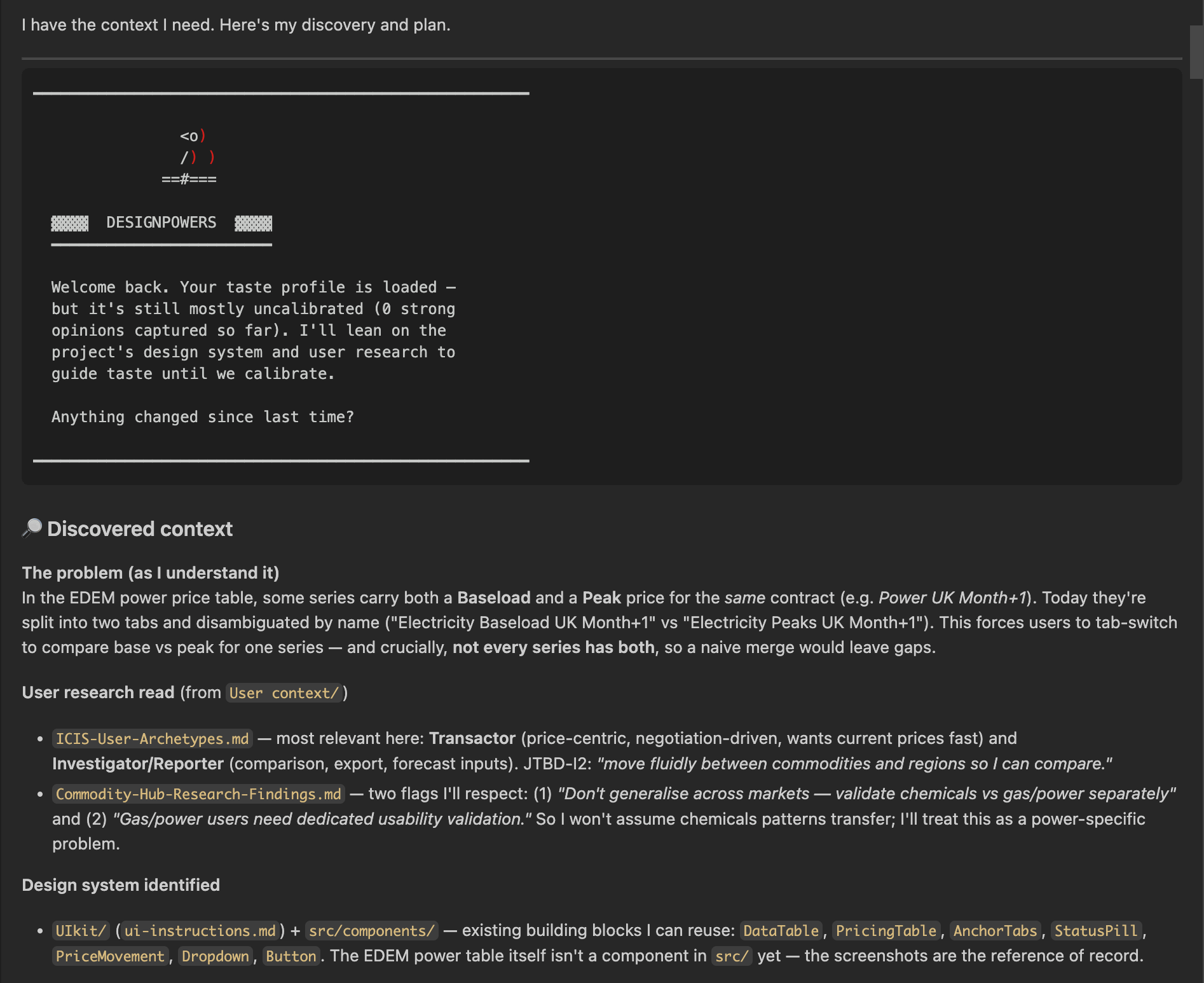
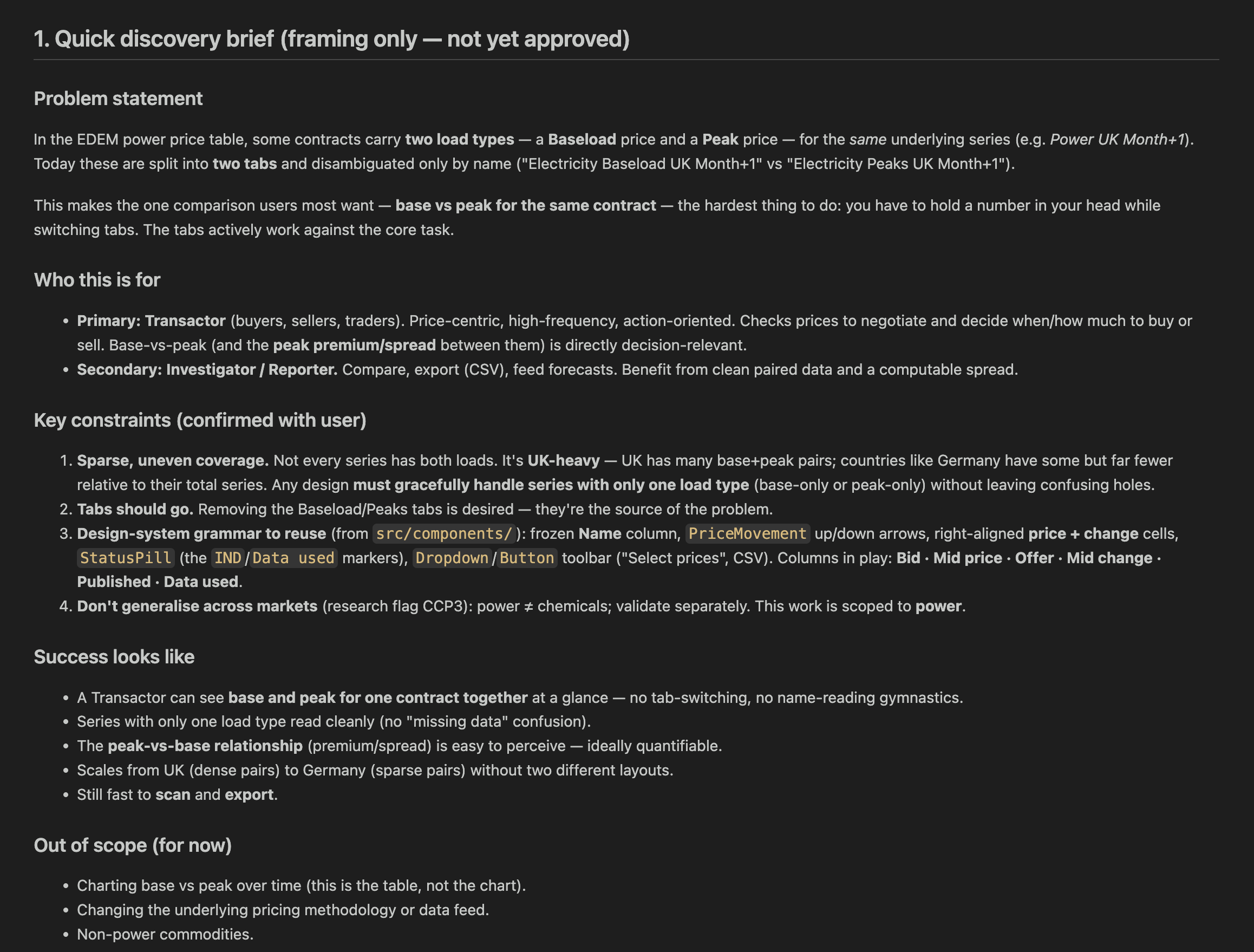
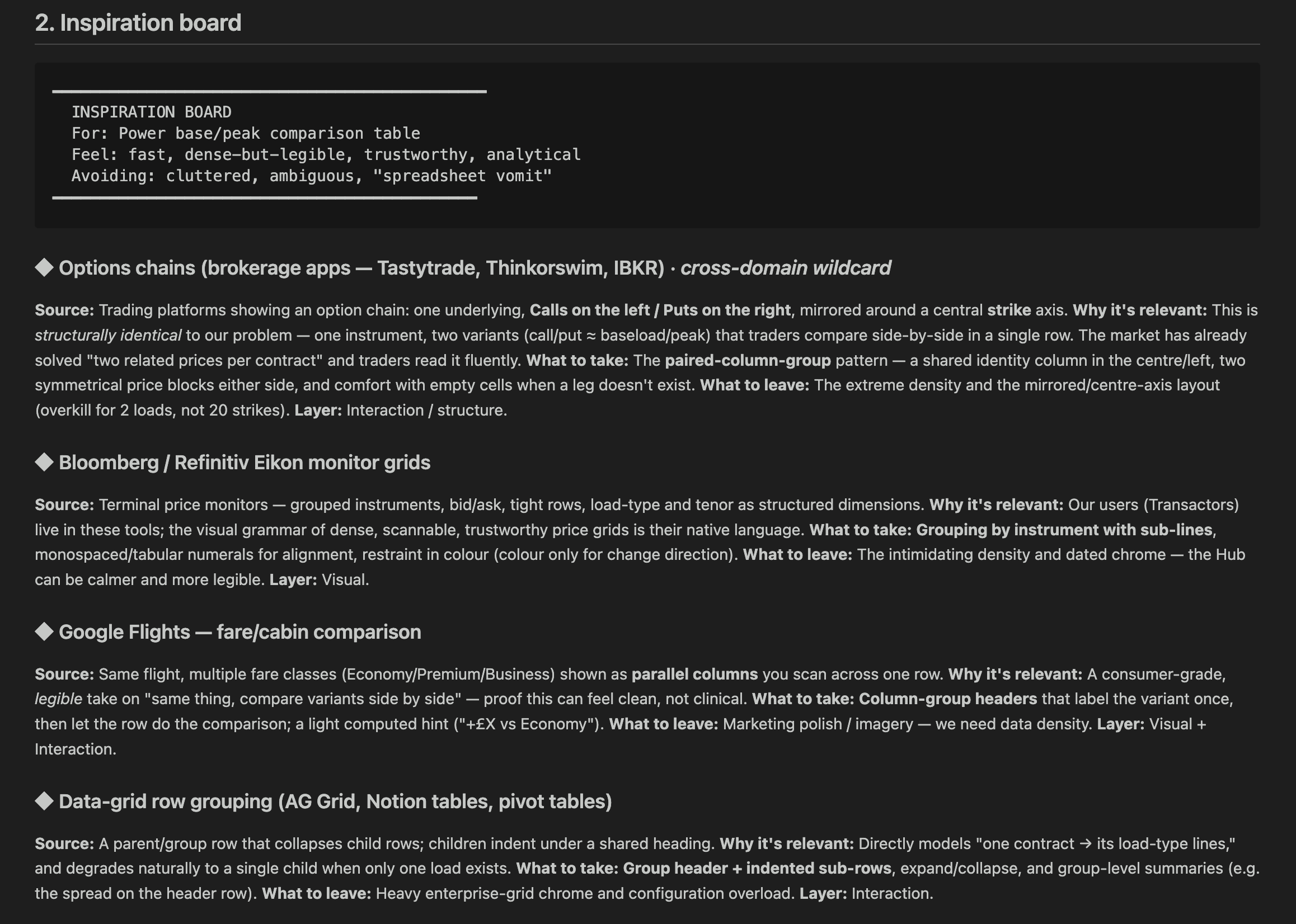
What it hands me is directions, not decoration
The output is a list of written design directions. Each one is a described concept with a rationale tied back to the research: what it optimises for, who it serves best, the trade-off it makes. Not "here are three layouts", but a set of distinct approaches I can weigh against each other on their merits, each one already justified against the brief.
I could get to this breadth on my own. It would just take a lot longer, and left to my own pace I tend to stop once I have a couple I like rather than push for the full spread. The agent gets me there faster and keeps every direction anchored to the research, so I'm choosing between reasoned options rather than gut-feel sketches.
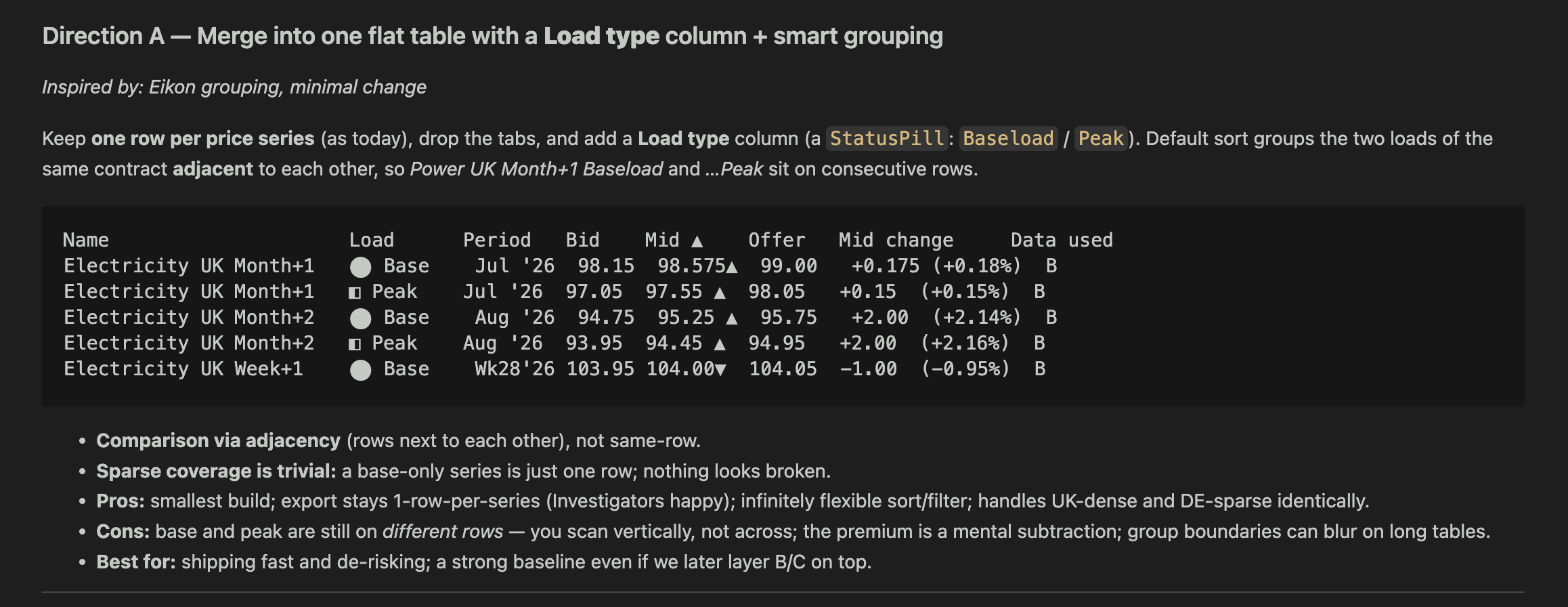
I pick the ones worth seeing
Now the judgement is mine. I pick the two or three directions that best address the problems discovery surfaced, and because each one carries its rationale, I can check that against the brief instead of reacting to a picture.
Copilot reproduces the chosen directions as real layouts
I hand the chosen directions to GitHub Copilot and ask it to build each one as an actual HTML layout, using the real content from the brief rather than lorem ipsum. A few minutes later I have two or three working pages I can open in the browser, side by side, and click through.
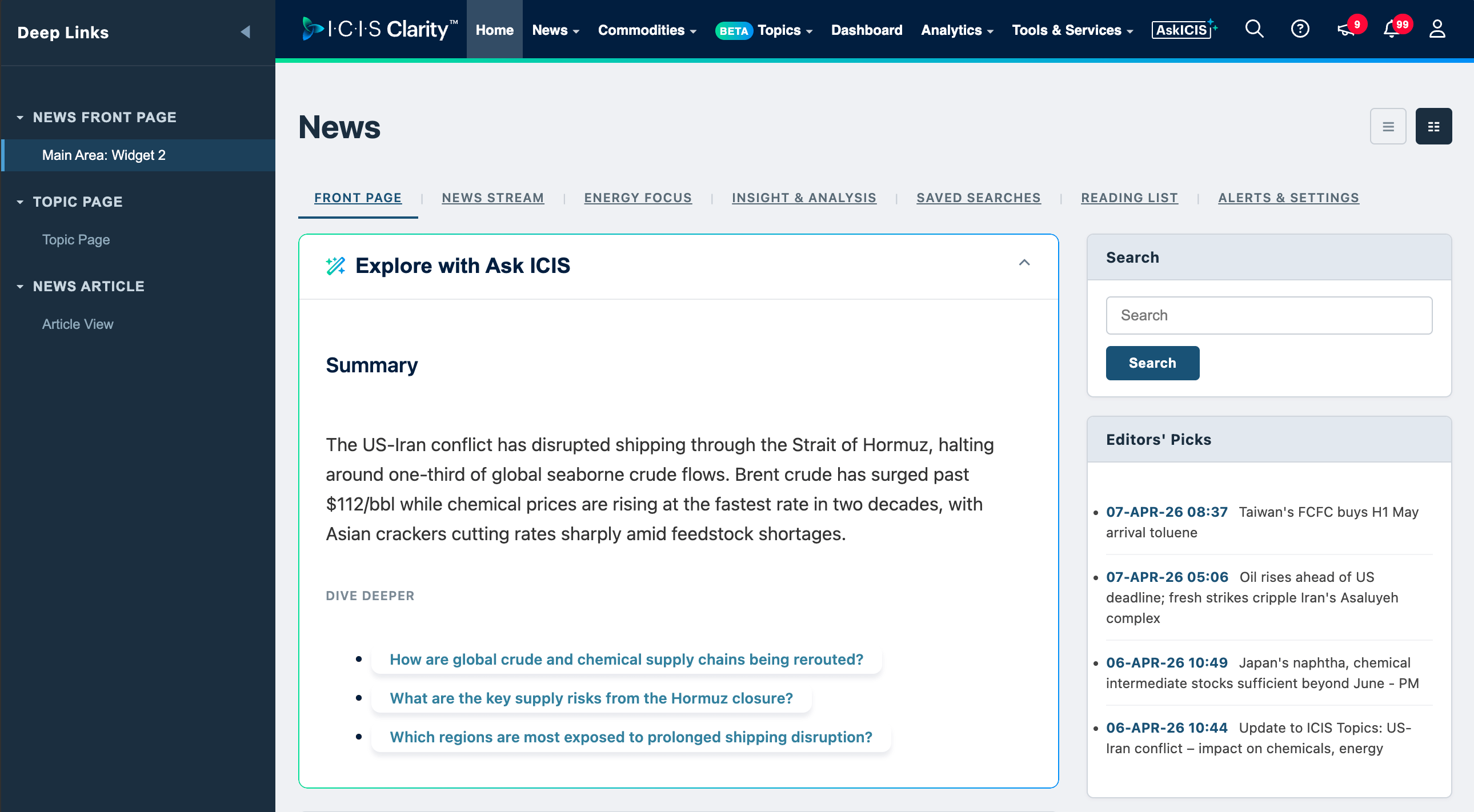
This is where a written direction becomes something I can actually assess. On the page, with real content in it, I can see whether it holds up: does it read the way the rationale claimed, does it handle the real copy lengths, does it still address the discovery problems once it's concrete. That's a far more reliable judgement than reading a description, and it's quick to get to because Copilot did the building.
I judge in code, then bring the winner to Figma
I pick the winner in the browser, against real content and real behaviour. Only then does it earn a place on the canvas.
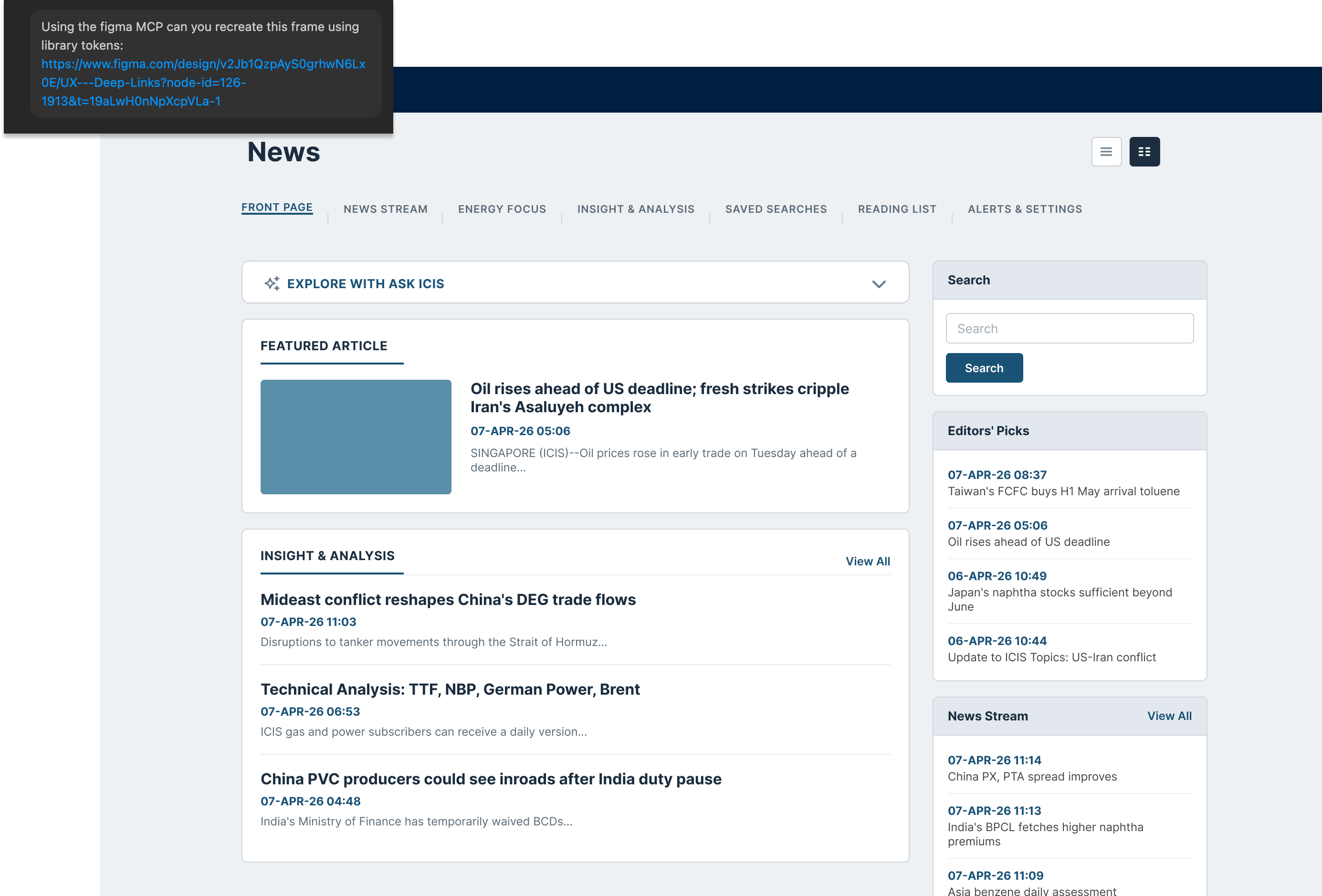
I ask Copilot to push that winning design into Figma through the Figma MCP, the connector that lets the agent read from and write to a Figma file directly. This is the convergence step, and it's the one Figma is built for. In the file, the winner meets the real design system: the actual tokens, the real components, the team's conventions. It becomes something I can refine, annotate, and hand off to other people.
The takeaway
The companion to this post is a free artefact, the code-to-Figma loop: a one-page map of the whole cycle, plus the exact checklist I run at each gate. What the agent has to ground its directions in before I'll look at them. How I judge which directions best address the discovery problems. And the single check a winner has to pass before it reaches the canvas. It stands on its own, so you can run the loop from the artefact even if you never reread the post.
What to do this week
Next time you open Figma to explore, run the widening in code first. Write the brief as a short doc, then ask an AI for five design directions with a one-line rationale each, grounded in what you actually know about the person you're designing for. Read the five. Count how many sit outside the three you'd have drawn by hand. You don't need the full agent to see the difference. Run the widening in code once and see what shows up.
If it helps, subscribe, and I'll send each week's piece as I refine this loop, the gates, and the prompts behind it.